


Doors, Uncategorized
Sliding Door CAD Blocks And Autolisp
Sliding Door CAD Blocks and Autolisp for AutoCAD
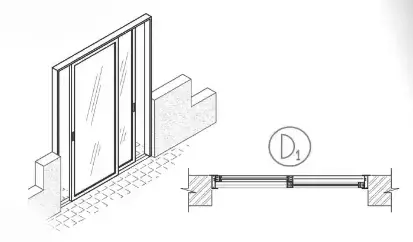
Discover our comprehensive collection of Sliding Door CAD Blocks, perfect for architects, designers, and engineers. These CAD blocks are designed to streamline your projects, providing detailed and accurate representations.
A sliding door is a type of door that moves horizontally along a track, providing easy access and saving space. Our Door CAD drawings of sliding doors include a variety of designs, sizes, and views, making them versatile for any architectural plan.

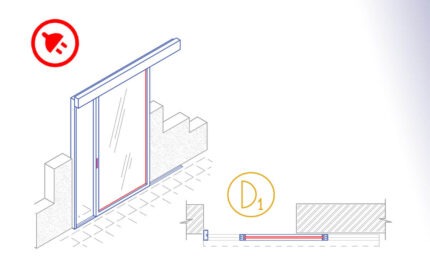
The Aluminium monorail sliding door is an AutoCAD add-in that automates the draft of the doors, adds door tags, door schedules, and quantity takeoff.
How to use: First run the downloaded .msi installer. After installation, open AutoCAD and type MyLibrary in the command line.

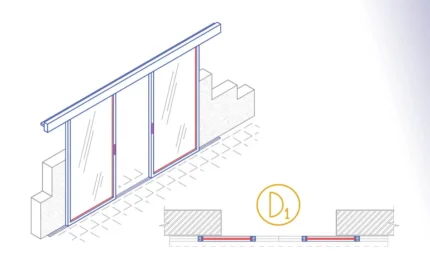
The Aluminium Bi-Part sliding door is an AutoCAD Add-in that automates the draft of the doors, adds door tags, door schedules and streamline quantity takeoff.
How to use: First run the downloaded .msi installer. After installation, open AutoCAD and type MyLibrary in the command line.


The Glass Bi-Part Sliding Door is an AutoCAD add-in that automates the door drawing, door tags, door schedules, and door quantity takeoff. How to use: First run the downloaded .msi installer. After installation, open AutoCAD and type MyLibrary in the command line.

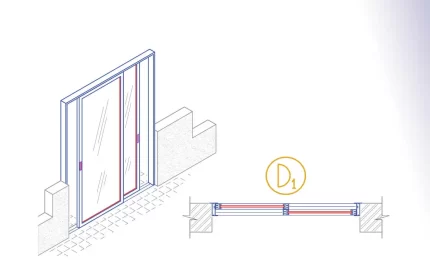
The Aluminium Sliding Door is an AutoCAD add-in that automates the door drawing, door tags, door schedules, and door quantity takeoff. How to use: First run the downloaded .msi installer. After installation, open AutoCAD and type MyLibrary in the command line.

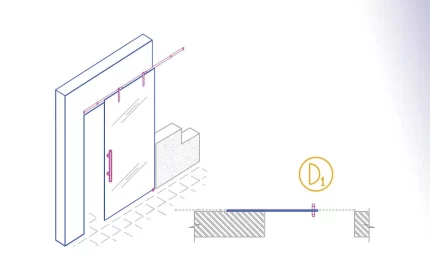
The Glass Monorail Sliding Door is an AutoCAD add-in that automates the door drawing, door tags, door schedules, and door quantity takeoff. How to use: First run the downloaded .msi installer. After installation, open AutoCAD and type MyLibrary in the command line.

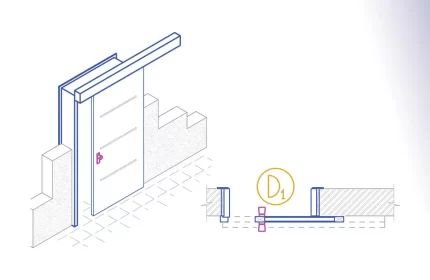
The Wood Monorail Sliding Door is an AutoCAD addon that automates the door drawing, door tags, door schedules, and door quantity takeoff. How to use: First run the downloaded .msi installer. After installation, open AutoCAD and type MyLibrary in the command line.

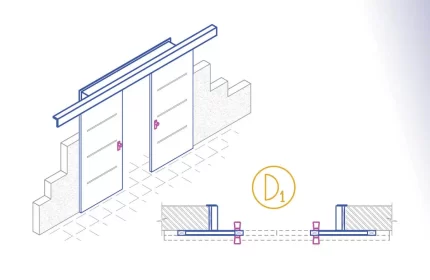
The Wood Bi-Part Sliding Door is an AutoCAD add-in that automates the door drawing, door tags, door schedules, and door quantity takeoff. How to use: First run the downloaded .msi installer. After installation, open AutoCAD and type MyLibrary in the command line.
Benefits of Using Our CAD Blocks
- Our CAD blocks are created with precision, ensuring they meet industry standards.
- Variety: We offer a wide range of sliding door designs, Aluminium, Wood, and Steel to suit different project needs.
- Time-Saving: Using our CAD blocks can significantly reduce the time spent on creating detailed drawings.
All our sliding door CAD blocks are available as Autolisp Add-on.
External Resources for Further Learning
For more detailed information on CAD blocks and their applications, check out these resources: