



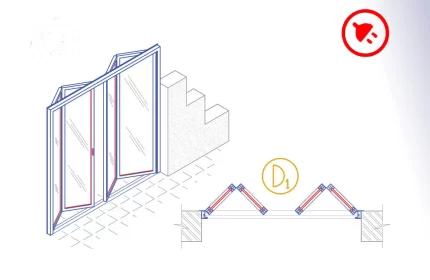
Aluminium bi-fold door or accordion door is an AutoCAD add-in that automates the draft of the doors, adds door tags, tables, and quantity takeoff. How to start: First run the downloaded .msi installer. After installation, open AutoCAD and type MyLibrary in the command line.

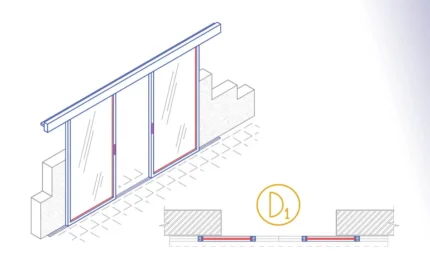
The Aluminium Bi-Part sliding door is an AutoCAD Add-in that automates the draft of the doors, adds door tags, door schedules and streamline quantity takeoff.
How to use: First run the downloaded .msi installer. After installation, open AutoCAD and type MyLibrary in the command line.


Aluminium folding door or accordion door AutoCAD add-in automates the draft of the door details dwg, adds door tags, table, and quantity takeoff. How to use: First run the downloaded .msi installer. After installation, open AutoCAD and type MyLibrary in the command line.

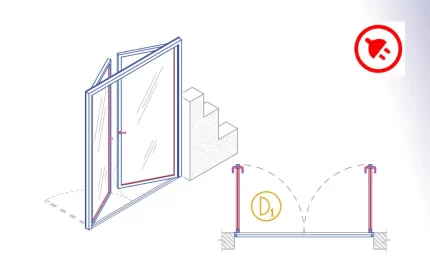
The Aluminium Hinged Double Door is an AutoCAD add-in that automates the door drawing, door tags, door schedules, and door quantity takeoff. How to use: First run the downloaded .msi installer. After installation, open AutoCAD and type MyLibrary in the command line.

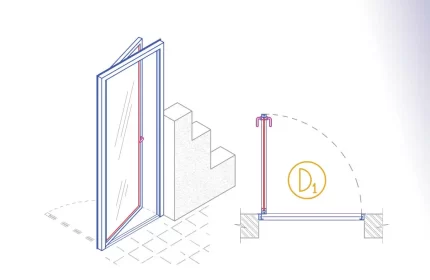
The Aluminium Hinged Single Door is an AutoCAD add-in that automates the door drawing, door tags, door schedules, and door quantity takeoff. How to use: First run the downloaded .msi installer. After installation, open AutoCAD and type MyLibrary in the command line.

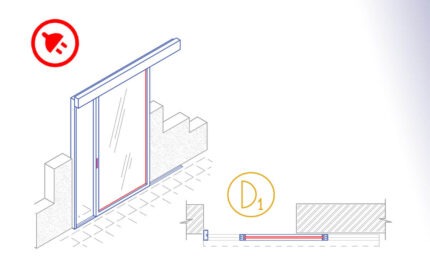
The Aluminium monorail sliding door is an AutoCAD add-in that automates the draft of the doors, adds door tags, door schedules, and quantity takeoff.
How to use: First run the downloaded .msi installer. After installation, open AutoCAD and type MyLibrary in the command line.


The Aluminium Revolving Door is an AutoCAD add-in that automates the door drawing, door tags, doors schedules, and quantity takeoff. How to start: First run the downloaded .msi installer. After installation, open AutoCAD and type MyLibrary in the command line.

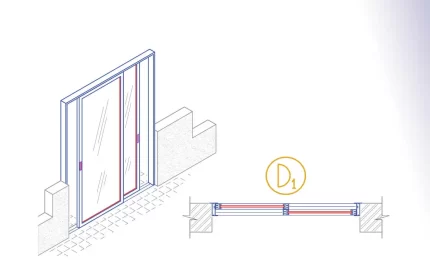
The Aluminium Sliding Door is an AutoCAD add-in that automates the door drawing, door tags, door schedules, and door quantity takeoff. How to use: First run the downloaded .msi installer. After installation, open AutoCAD and type MyLibrary in the command line.


The Glass Bi-Part Sliding Door is an AutoCAD add-in that automates the door drawing, door tags, door schedules, and door quantity takeoff. How to use: First run the downloaded .msi installer. After installation, open AutoCAD and type MyLibrary in the command line.

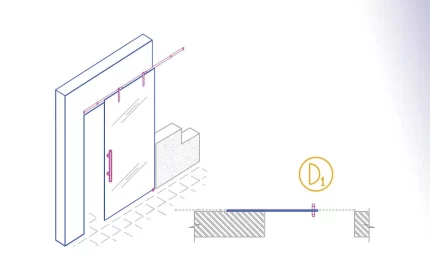
The Glass Monorail Sliding Door is an AutoCAD add-in that automates the door drawing, door tags, door schedules, and door quantity takeoff. How to use: First run the downloaded .msi installer. After installation, open AutoCAD and type MyLibrary in the command line.

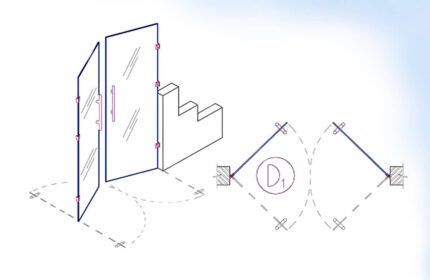
Glass Swing Double Door is an AutoCAD Add-in that automates the draft of the doors, adds door tags, door tables and streamline quantity takeoff.
How to use: First run the downloaded .msi installer. After installation, open AutoCAD and type MyLibrary in the command line.

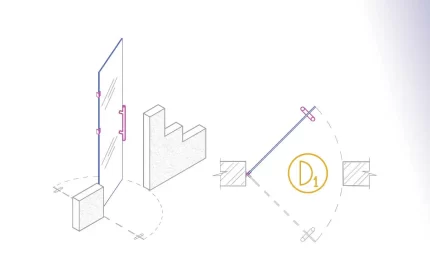
The Glass Swing Single Door is an AutoCAD add-in that automates the door drawing, door tags, door schedules, and door quantity takeoff. How to use: First run the downloaded .msi installer. After installation, open AutoCAD and type MyLibrary in the command line.
Door CAD drawings and blocks – Free Download
Upgrade your design efficiency with our top-quality CAD drawings, blocks, 3D models, and AutoCAD add-ins. These tools are perfect for architects looking to speed up their design process and improve accuracy. Our door CAD drawings and blocks cater to all architectural styles.
Features Include:
- A diverse range of door CAD drawings and blocks designs such as sliding, bi-folding, folding, monorail, and pivot doors.
- Download free door AutoCAD drawings, including plans, elevations, side views, back views, and 3D models.
- Full compatibility with various AutoCAD versions.
- Easy integration into any project, enhancing design workflow.
Improve Your Efficiency with AutoCAD Add-Ins
Our door AutoCAD Add-Ins are great for automating repetitive tasks, saving time and reducing errors. These powerful scripts are easy to use and customize to fit your specific project needs. Learn more about LISP programming and its applications in CAD to maximize your productivity.
Benefits:
- Streamlined management of layers and automated adjustments to drawings.
- Faster completion of drawings, helping you meet tight deadlines.
- Adaptable to various sizes and dimensions.
Check out our collection and see how our door CAD drawings and blocks can transform your design projects. Visit our site now to download and start improving your workflow immediately! For more information on the latest CAD technologies, visit the Autodesk AutoCAD official page.