



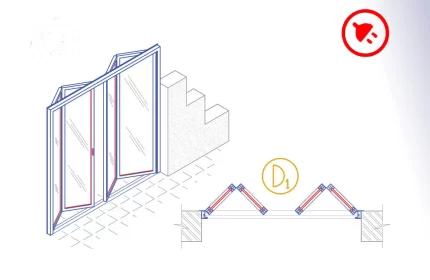
Aluminium bi-fold door or accordion door is an AutoCAD add-in that automates the draft of the doors, adds door tags, tables, and quantity takeoff. How to start: First run the downloaded .msi installer. After installation, open AutoCAD and type MyLibrary in the command line.

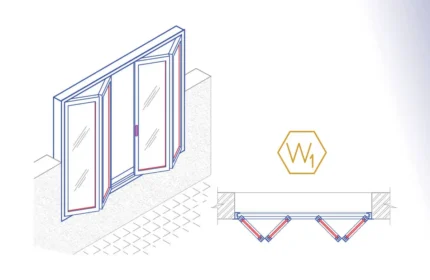
The Aluminium Bi-fold Window is an AutoCAD add-in that automates the window drawing, window tags, window schedules, and window quantity takeoff. How to use: First run the downloaded .msi installer. After installation, open AutoCAD and type MyLibrary in the command line.

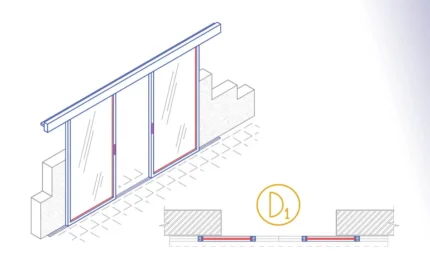
The Aluminium Bi-Part sliding door is an AutoCAD Add-in that automates the draft of the doors, adds door tags, door schedules and streamline quantity takeoff.
How to use: First run the downloaded .msi installer. After installation, open AutoCAD and type MyLibrary in the command line.

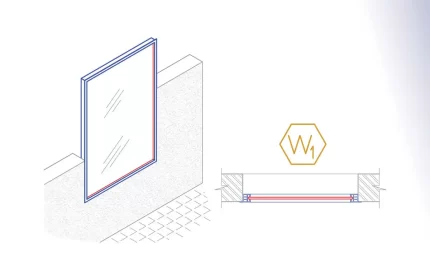
The Aluminium Fixed Window is an AutoCAD add-in that automates the window drawing, window tags, window schedules, and window quantity takeoff. How to use: First run the downloaded .msi installer. After installation, open AutoCAD and type MyLibrary in the command line.


Aluminium folding door or accordion door AutoCAD add-in automates the draft of the door details dwg, adds door tags, table, and quantity takeoff. How to use: First run the downloaded .msi installer. After installation, open AutoCAD and type MyLibrary in the command line.

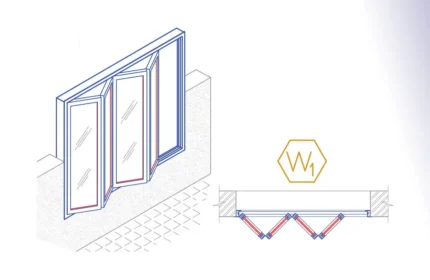
The Aluminium Folding Window is an AutoCAD add-in that automates the window drawing, window tags, window schedules, and window quantity takeoff. How to use: First run the downloaded .msi installer. After installation, open AutoCAD and type MyLibrary in the command line.

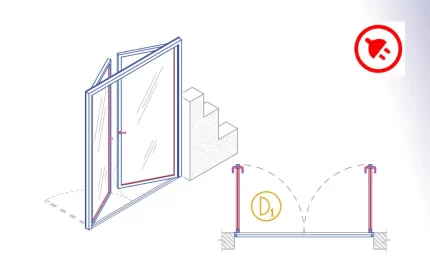
The Aluminium Hinged Double Door is an AutoCAD add-in that automates the door drawing, door tags, door schedules, and door quantity takeoff. How to use: First run the downloaded .msi installer. After installation, open AutoCAD and type MyLibrary in the command line.

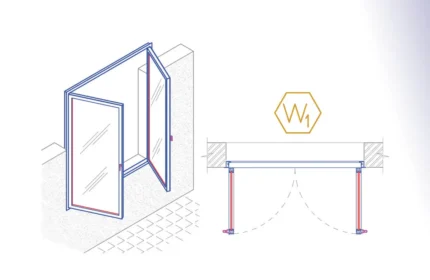
The Aluminium Hinged Double Window is an AutoCAD add-in that automates the window drawing, window tags, window schedules, and window quantity takeoff. How to use: First run the downloaded .msi installer. After installation, open AutoCAD and type MyLibrary in the command line.

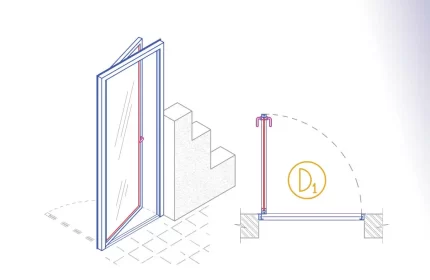
The Aluminium Hinged Single Door is an AutoCAD add-in that automates the door drawing, door tags, door schedules, and door quantity takeoff. How to use: First run the downloaded .msi installer. After installation, open AutoCAD and type MyLibrary in the command line.

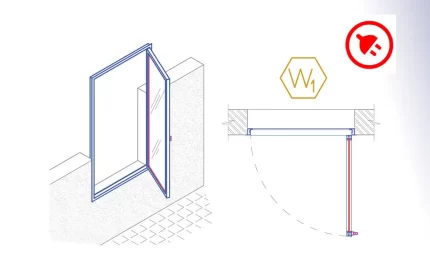
The Aluminium Hinged Single Window is an AutoCAD add-in that automates the window drawing, window tags, window schedules, and window quantity takeoff. How to use: First run the downloaded .msi installer. After installation, open AutoCAD and type MyLibrary in the command line.

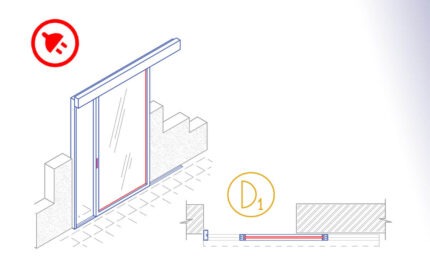
The Aluminium monorail sliding door is an AutoCAD add-in that automates the draft of the doors, adds door tags, door schedules, and quantity takeoff.
How to use: First run the downloaded .msi installer. After installation, open AutoCAD and type MyLibrary in the command line.

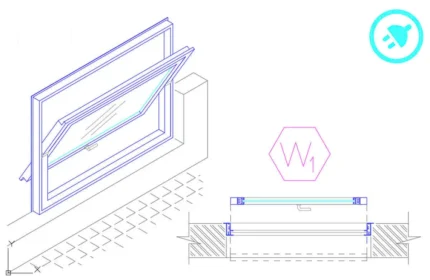
The Aluminium Pivot Window is an AutoCAD add-in that automates the draft of the windows, adds window tags, window tables, and streamline quantity takeoff.
How to use: First run the downloaded .msi installer. After installation, open AutoCAD and type MyLibrary in the command line.
Download Architectural Detail Drawings and Facilitate Quantity Takeoff
Accurate and standard architectural detail drawings are essential for any construction project. At AppisCAD, we offer a comprehensive library of architectural drawings and AutoLISP plugins that enhance your design process and simplify quantity takeoff calculations.
High-Quality Architectural Detail Drawings
Our collection includes a wide range of architectural detail drawings with precise and standard dimensions. These drawings help architects and engineers achieve accurate designs and streamline their workflow. Whether you need detailed plans for doors, windows, or structural elements, our library has you covered.
Benefits of Using Standard Drawings
Standard architectural detail drawings ensure consistency and accuracy in your designs. They reduce errors and save time during the drafting process. Our drawings are ready to use and integrate easily into your projects.
Facilitating Quantity Takeoff with AutoLISP Plugins
Quantity takeoff is a critical step in construction project management, involving the calculation of material quantities needed for a project. Our AutoLISP plugins automate and simplify this process. These tools help you quickly extract quantities from your drawings, ensuring accurate and efficient material estimation.
How AutoLISP Plugins Improve Efficiency
Our AutoLISP plugins integrate seamlessly with AutoCAD, providing functionalities to automate repetitive tasks and enhance your productivity. These plugins enable you to generate material lists, perform area calculations, and manage other essential takeoff tasks efficiently.
Download and Get Started
All our architectural detail drawings and AutoLISP plugins are available for download. Visit our product category page, select the drawings or plugins you need, and download them directly to your computer. Start improving your design accuracy and facilitating your quantity takeoff process today!
Explore more resources and tools to enhance your construction projects: