



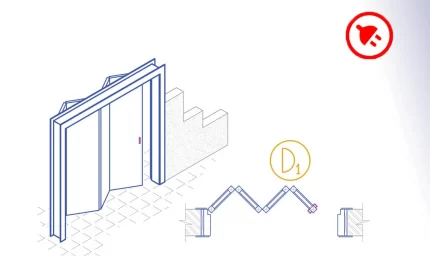
The Wood Folding Door or accordion door is an AutoCAD add-in that automates the door drawing, door tags, doors schedules, and quantity takeoff. How to use: First run the downloaded .msi installer. After installation, open AutoCAD and type MyLibrary in the command line.

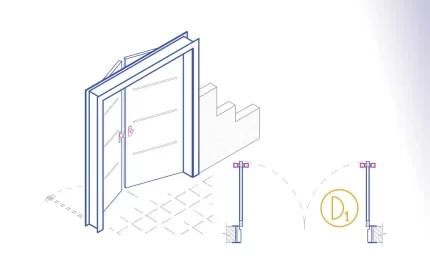
The Wood Hinged Double Door is an AutoCAD add-in that automates the door drawing, door tags, door schedules, and door quantity takeoff. How to use: First run the downloaded .msi installer. After installation, open AutoCAD and type MyLibrary in the command line.


The Wood Hinged Single Door is an AutoCAD add-in that automates the door drawing, door tags, door schedules, and door quantity takeoff. How to use: First run the downloaded .msi installer. After installation, open AutoCAD and type MyLibrary in the command line.

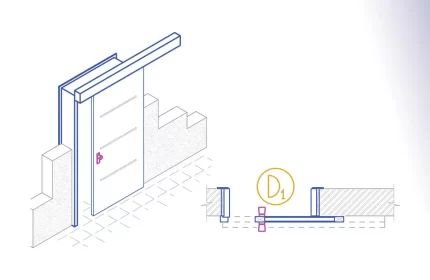
The Wood Monorail Sliding Door is an AutoCAD addon that automates the door drawing, door tags, door schedules, and door quantity takeoff. How to use: First run the downloaded .msi installer. After installation, open AutoCAD and type MyLibrary in the command line.

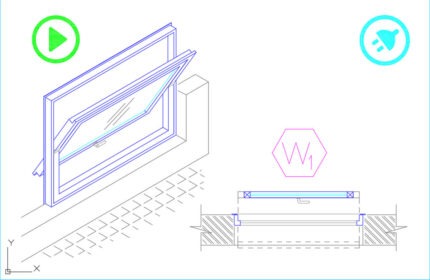
The Wood Pivot Window is an AutoCAD Add-In that automates the draft of the windows, adds window tags, window tables, and streamline quantity takeoff.
How to use: First run the downloaded .msi installer. After installation, open AutoCAD and type MyLibrary in the command line.


The Wood Pocket Double Door is an AutoCAD add-in that automates the door drawing, door tags, door schedules, and door quantity takeoff. How to use: First run the downloaded .msi installer. After installation, open AutoCAD and type MyLibrary in the command line.

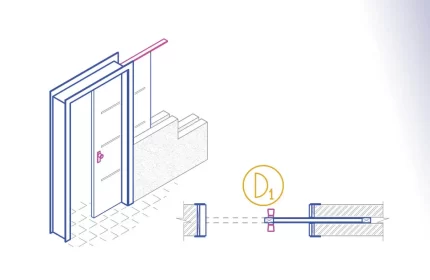
The Wood Pocket Single Door is an AutoCAD add-in that automates the door drawing, door tags, door schedules, and door quantity takeoff. How to use: First run the downloaded .msi installer. After installation, open AutoCAD and type MyLibrary in the command line.

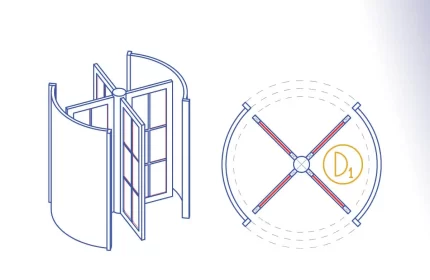
The Wood Revolving Door is an AutoCAD addon that automates the door drawing, door tags, door schedules, and door quantity takeoff. How to use: First run the downloaded .msi installer. After installation, open AutoCAD and type MyLibrary in the command line.


The Wood Swing Double Door is an AutoCAD add-in that automates the door drawing, door tags, door schedules, and door quantity takeoff. How to use: First run the downloaded .msi installer. After installation, open AutoCAD and type MyLibrary in the command line.

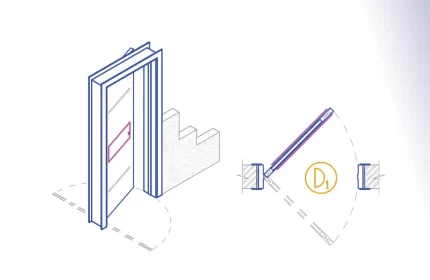
The Wood Swing Single Door is an AutoCAD add-in that automates the door drawing, door tags, door schedules, and door quantity takeoff. How to use: First run the downloaded .msi installer. After installation, open AutoCAD and type MyLibrary in the command line.