



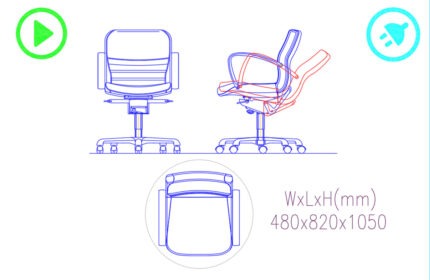
Ergonomic adjustable chair 480x820x1050 CAD block is more than a block drawing, it is an autolisp that inserts the block into CAD drawings and provides the BOMs.

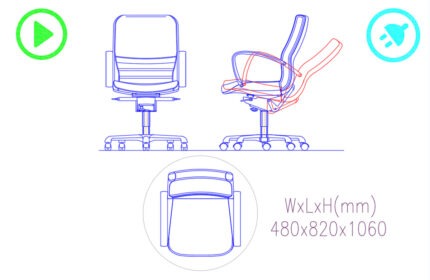
Ergonomic adjustable chair 480x820x1060 CAD block is more than a block drawing, it is an autolisp that inserts the block into CAD drawings and provides the BOMs.


Ergonomic adjustable chair 480x820x1080 CAD block is more than a block drawing, it is an autolisp that inserts the block into CAD drawings and provides the BOMs.


Eucalyptus Tree CAD block (SVG & PDF) with authentic detail and precise dimensions, enhancing architectural and landscape designs.

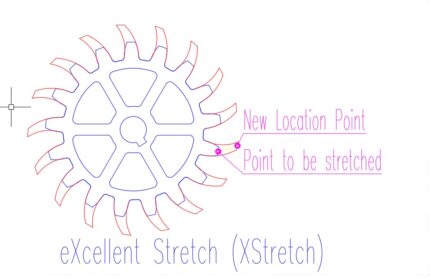
eXcellent Stretch command is an Autolisp Add-in. By stretching just one point, you can stretch all the periodic points in an object or multiple similar objects. To utilize this feature, download the MSI installation file to your computer, install it, open AutoCAD, and then input 'XStretch' into the command line to run the application.


Exit Sign CAD Block, for safety plans in various environments. The CAD drawing complies with international safety standards dimensions.

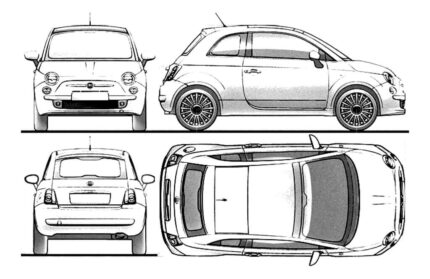
Fiat 500 car CAD block with accurate dimensions and details. Perfect for architects, engineers, and designers.

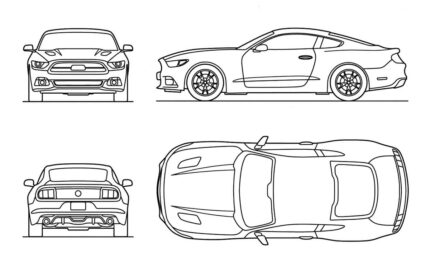
Ford Mustang GT 2015 car CAD block with accurate dimensions and details. Perfect for architects, engineers, and designers.

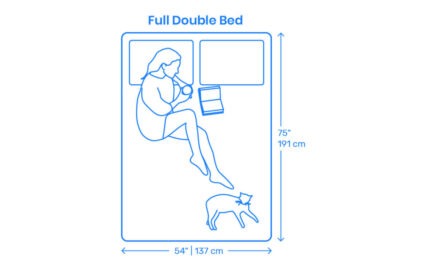
Full Double Bed CAD block is more than a block drawing, it is an autolisp that inserts the block into CAD drawings and provides the BOMs.


Genoma Congesta Tree Elevation View CAD block (DWG SVG PDF) files with authentic detail and precise dimensions, enhancing architectural and landscape designs.


The Glass Bi-Part Sliding Door is an AutoCAD add-in that automates the door drawing, door tags, door schedules, and door quantity takeoff. How to use: First run the downloaded .msi installer. After installation, open AutoCAD and type MyLibrary in the command line.

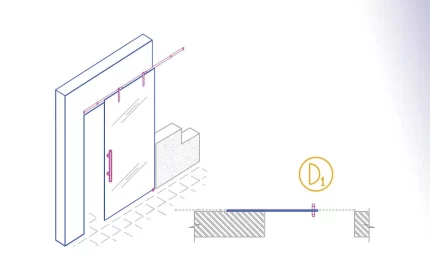
The Glass Monorail Sliding Door is an AutoCAD add-in that automates the door drawing, door tags, door schedules, and door quantity takeoff. How to use: First run the downloaded .msi installer. After installation, open AutoCAD and type MyLibrary in the command line.